



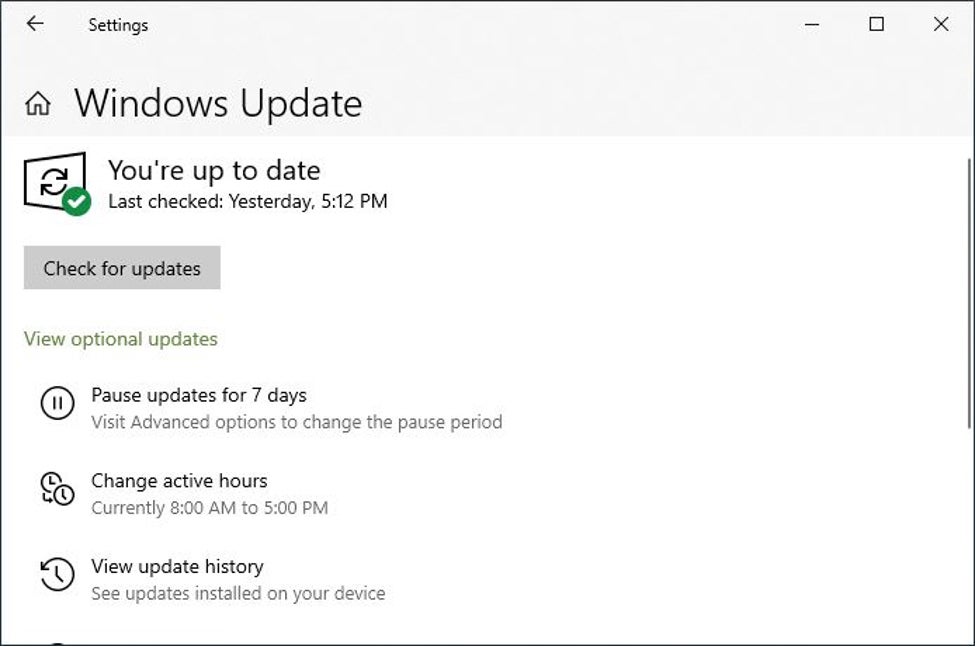
Windows 10 users who have upgraded to version 2004 or 20H2 might have noticed something new when they go to Settings > Update & Security > Windows Update. Beneath the always-present “Check for updates” button, Windows update sometimes presents an optional updates item, as shown in Figure 1.
 IDG
IDGFigure 1: Occasionally, Windows Update shows a link that reads “View optional updates.” (Click image to enlarge it.)
This, by the way, is a return to functionality offered in Windows 7, when optional updates were tucked away in a separate window. When Windows 10 rolled out, Microsoft began putting all updates in one stream, but now the company is returning to clearly labeling and separating optional updates from the usual monthly cumulative updates packaged up on “Patch Tuesday” (the 2nd Tuesday of each month).
What are these optional updates, and what should users and administrators do with them?
